
What is a workspace?
Workspaces in RenewMap save your filters, preferences, watchlist and email settings. Create and switch between workspaces to organise different views of renewable energy projects.
A workspace saves your filters, preferences, watchlist and email update settings. Your basemap, visualisation and custom layers are also persisted to the current workspace. Workspaces are currently private, so only you can see them.
RenewMap Overview users have a single workspace, while Professional and Platform users can have multiple workspaces, allowing them to keep different views of their work and switch between them at any time. See our features for more details.
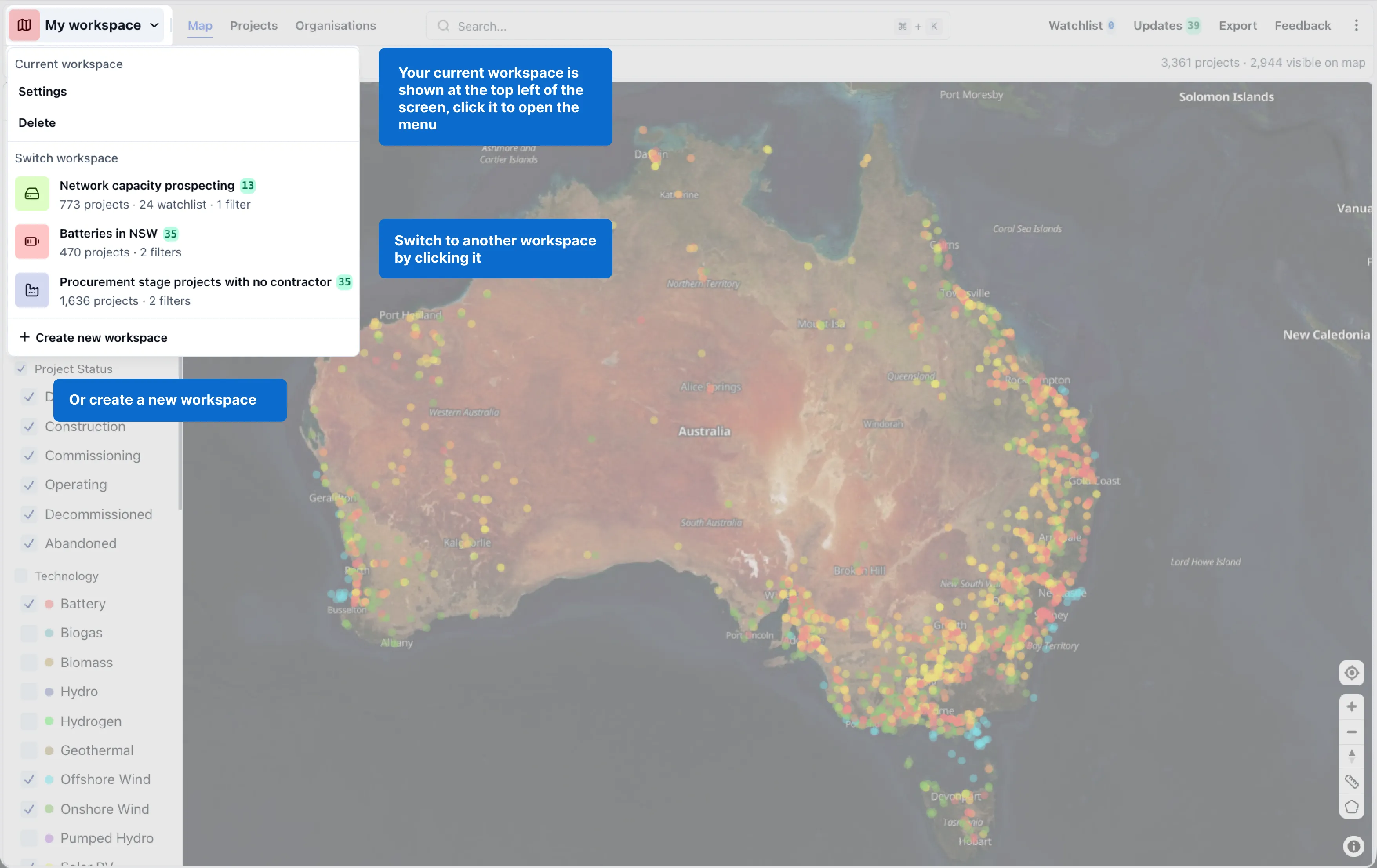
- Your current workspace is shown at the top left of the screen. Click it to open the workspace menu.
- Switch to another workspace by clicking it. Each workspace saves its own preferences (filters, watchlist etc.)
- Select New workspace to start a fresh view.
How to edit a workspace
Workspaces will automatically save any changes made to filters, map views and custom layers. To edit the workspace name or icon, open the workspace menu and select Settings.
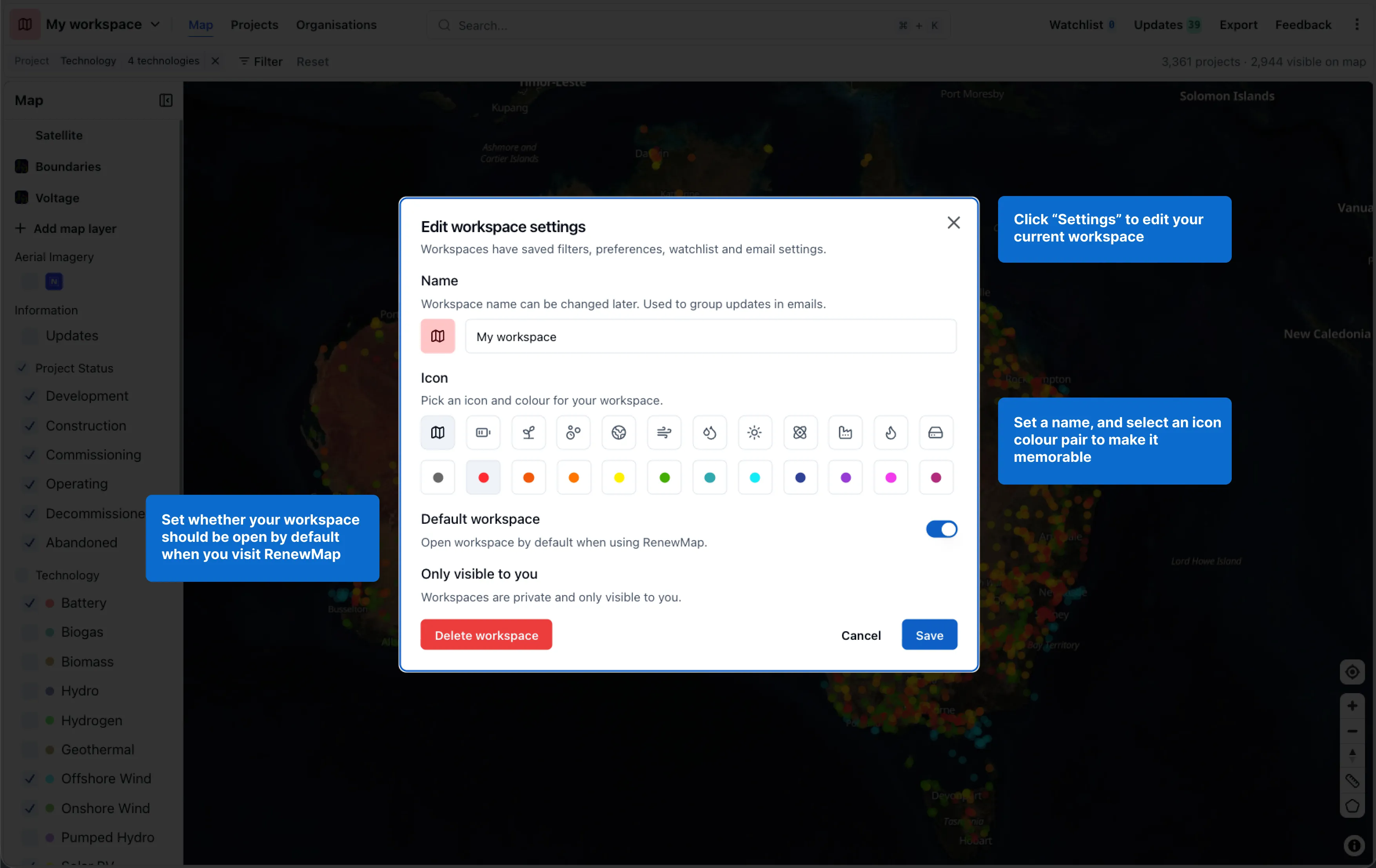
From the workspace settings you can:
- Set a name, and select an icon and colour pair to make the workspace memorable.
- Set whether the workspace should be the default that opens when you visit RenewMap.
- Keep the workspace only visible to you.
Select Save to apply your changes, or Delete workspace to remove it.