
Nearmap
Access high-resolution Nearmap aerial imagery directly from your RenewMap account to assess renewable energy sites, infrastructure and terrain with precision.
RenewMap integrates with Nearmap to provide hi-res aerial imagery to overlay alongside our database of 4,500+ renewable energy projects. This provides renewable energy decision-makers with the ability to remotely inspect sites and validate asset locations, and users can reduce reliance on outdated or low-resolution satellite content.
What the Nearmap integration allows you to do
Using Nearmap imagery alongside RenewMap project data and map, you can:
- Visually inspect project sites using high-resolution imagery
- Assess terrain, access roads and nearby infrastructure
- Validate site suitability and constraints during early-stage development
- Monitor construction progress over time
Nearmap and RenewMap renewable energy mapping brings greater insights to:
- Energy investors and developers – identify development opportunities
- Engineering and construction – understand and monitor project and asset status
- Governments and utilities – make informed policy decisions, validate project status
Before you begin
To use this integration, you must have:
- An active Nearmap subscription
- A valid Nearmap user account with a dedicated Nearmap API key for use in RenewMap
Creating a Nearmap API key
Log in to your Nearmap MyAccount to create an API key for RenewMap.
- Log in to Nearmap at https://apps.nearmap.com/account.
- Click the Integrations, API Keys tab.
- Choose the RenewMap application from the drop-down list. If there is no RenewMap application in the drop-down list, contact your organisation’s Nearmap administrator.
- Click CREATE KEY.
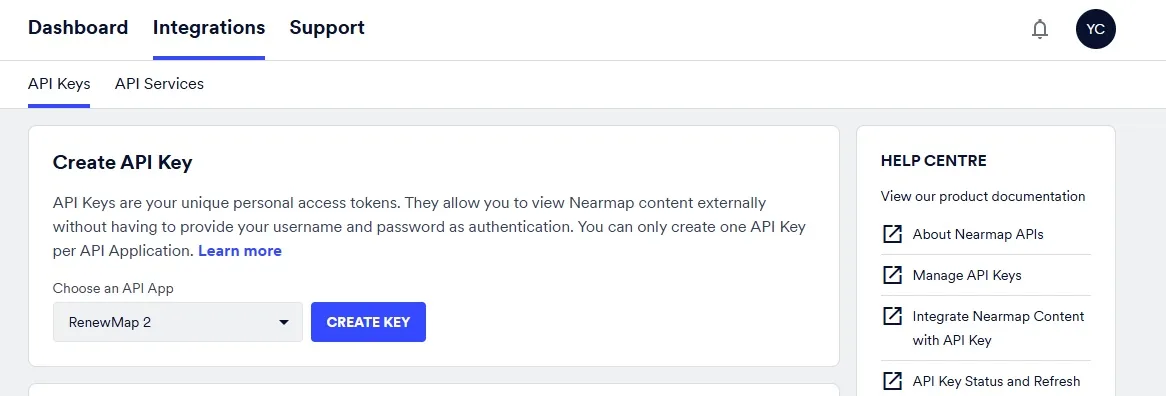
The API key is now created – it is the long string of characters in the API Key column.
For more information, see Nearmap’s help page on creating a Nearmap API Key.
Connect to Nearmap in RenewMap
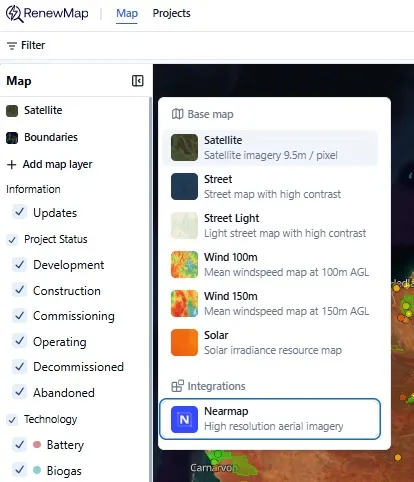
Select the base map panel on the left side of the map. You’ll see the Nearmap integration below the base map selections.
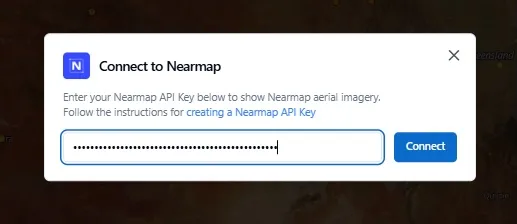
Enter your Nearmap API key as prompted and click Connect.
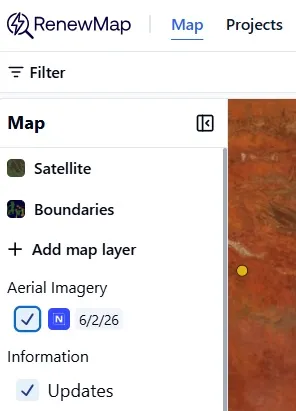
The Nearmap integration in RenewMap is now complete. When the Nearmap integration is selected in the panel on the left side of the map, you’ll see the survey date of the aerial imagery. By default, we show the latest mosaic of the most recent aerial imagery captured.
Nearmap vs standard satellite imagery
Below are a couple of examples between standard satellite imagery and Nearmap high-resolution aerial imagery, shown in the RenewMap platform for:
1. The Waratah Super BESS
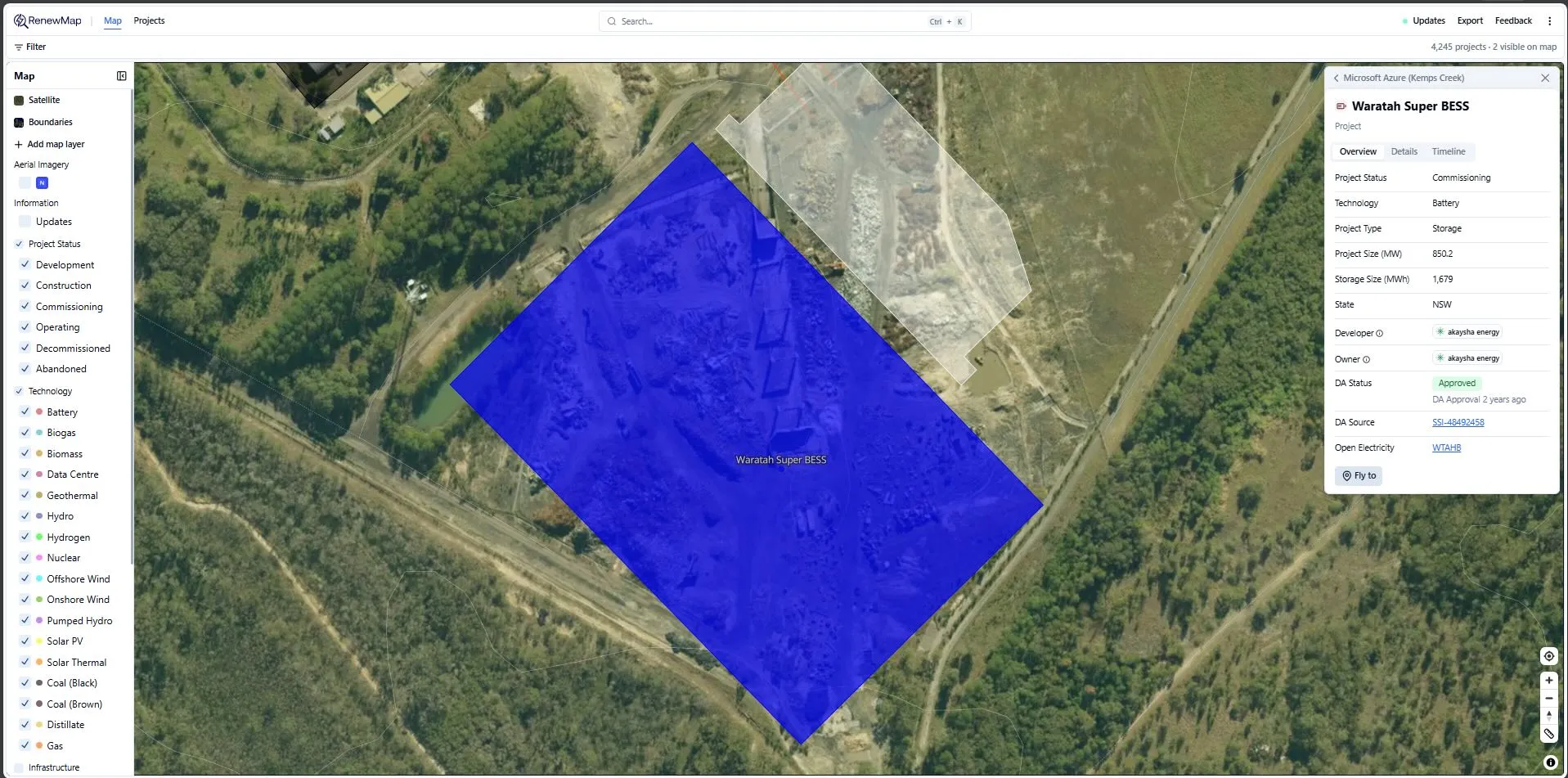
Standard satellite
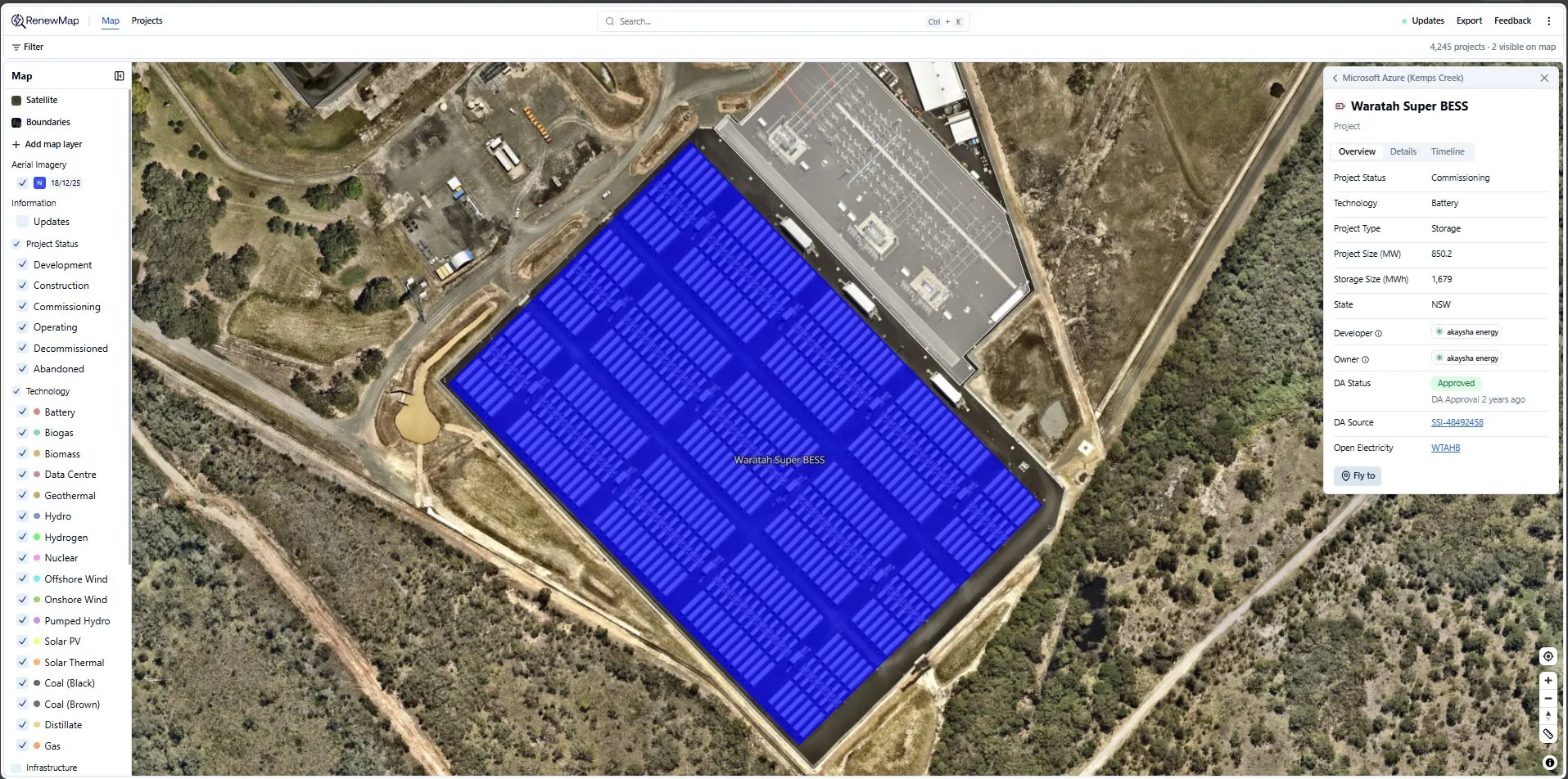
Nearmap
2. CDC Eastern Creek 5
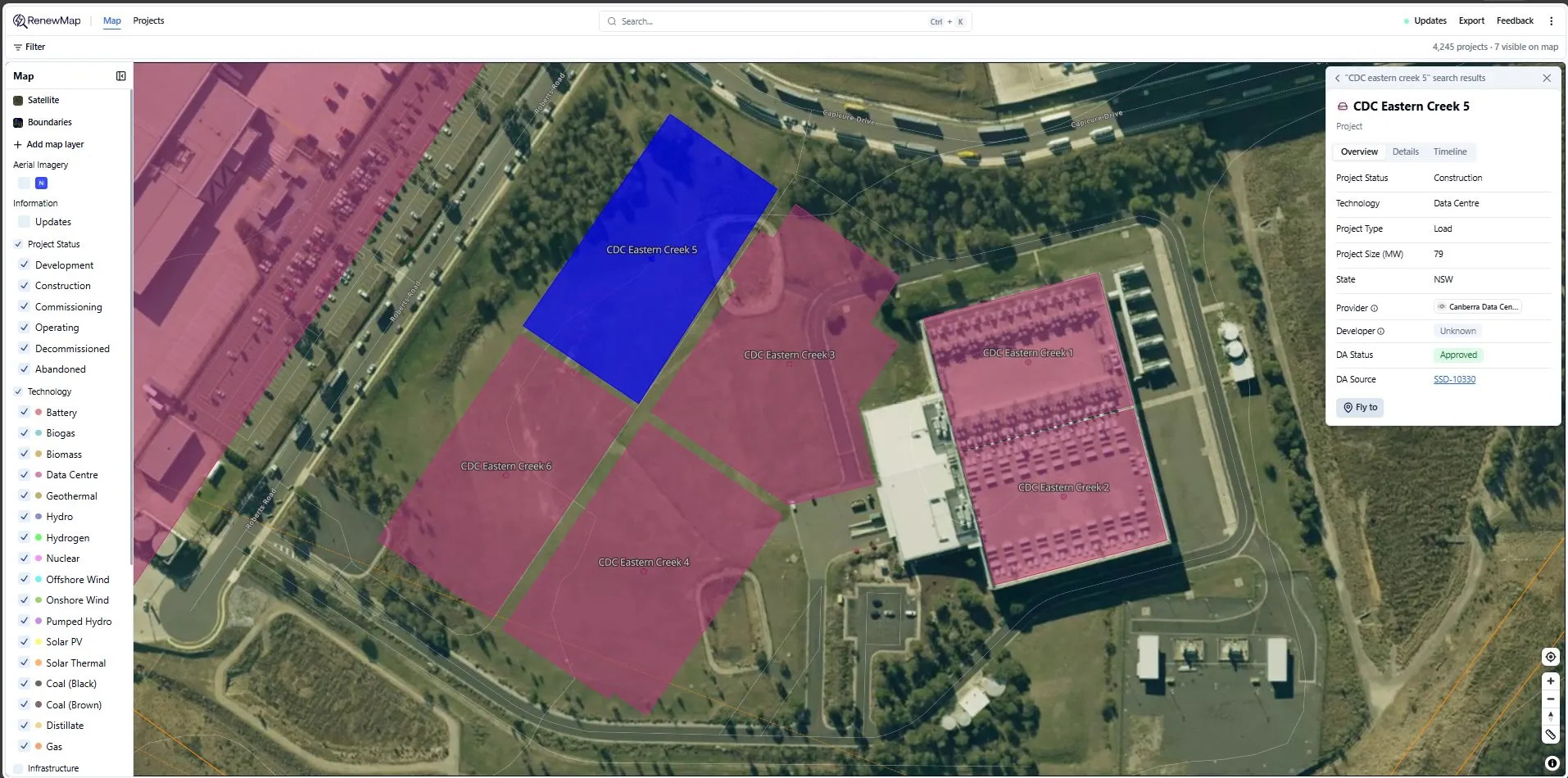
Standard satellite
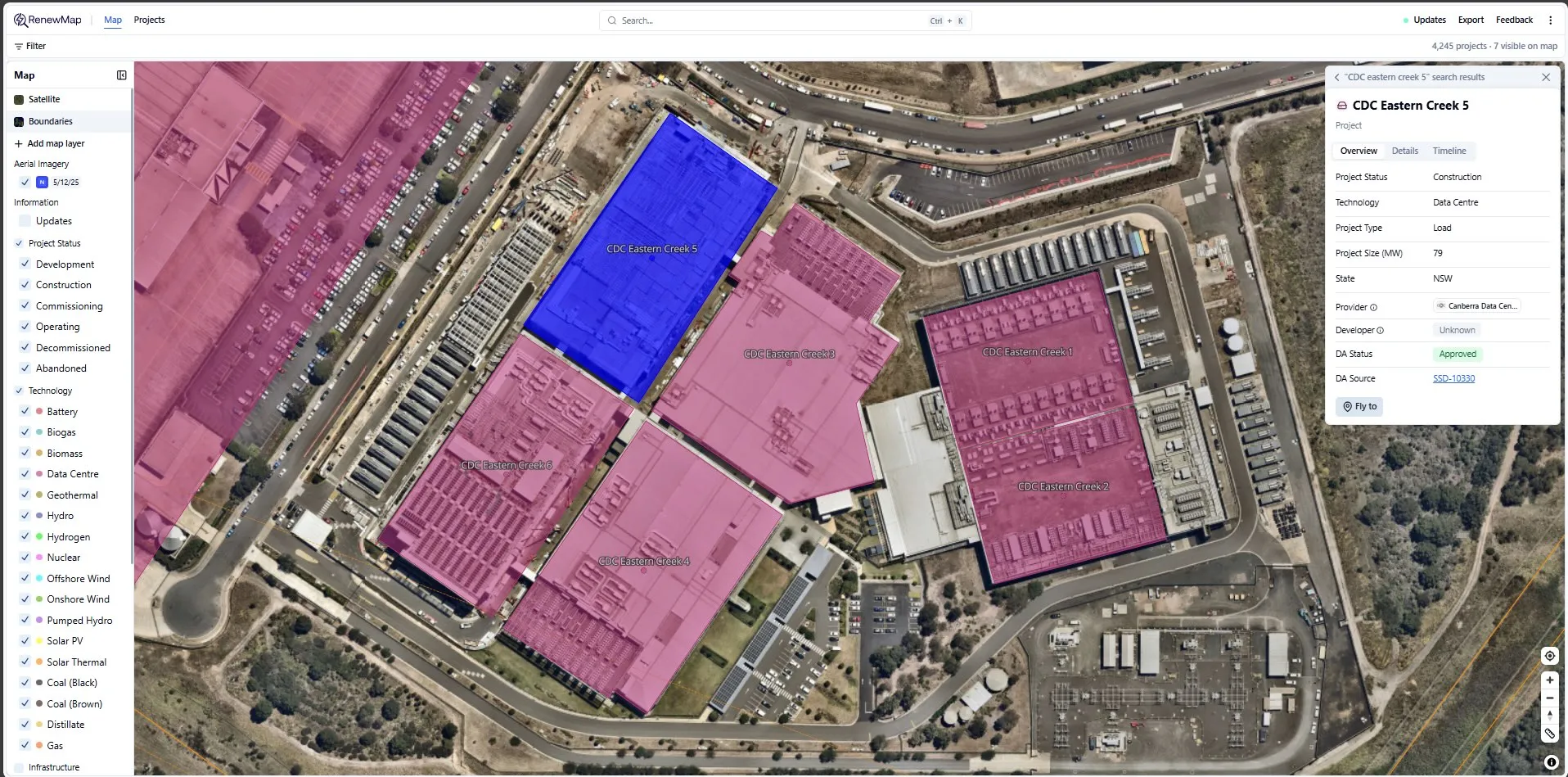
Nearmap
3. Microsoft Azure (Kemps Creek)
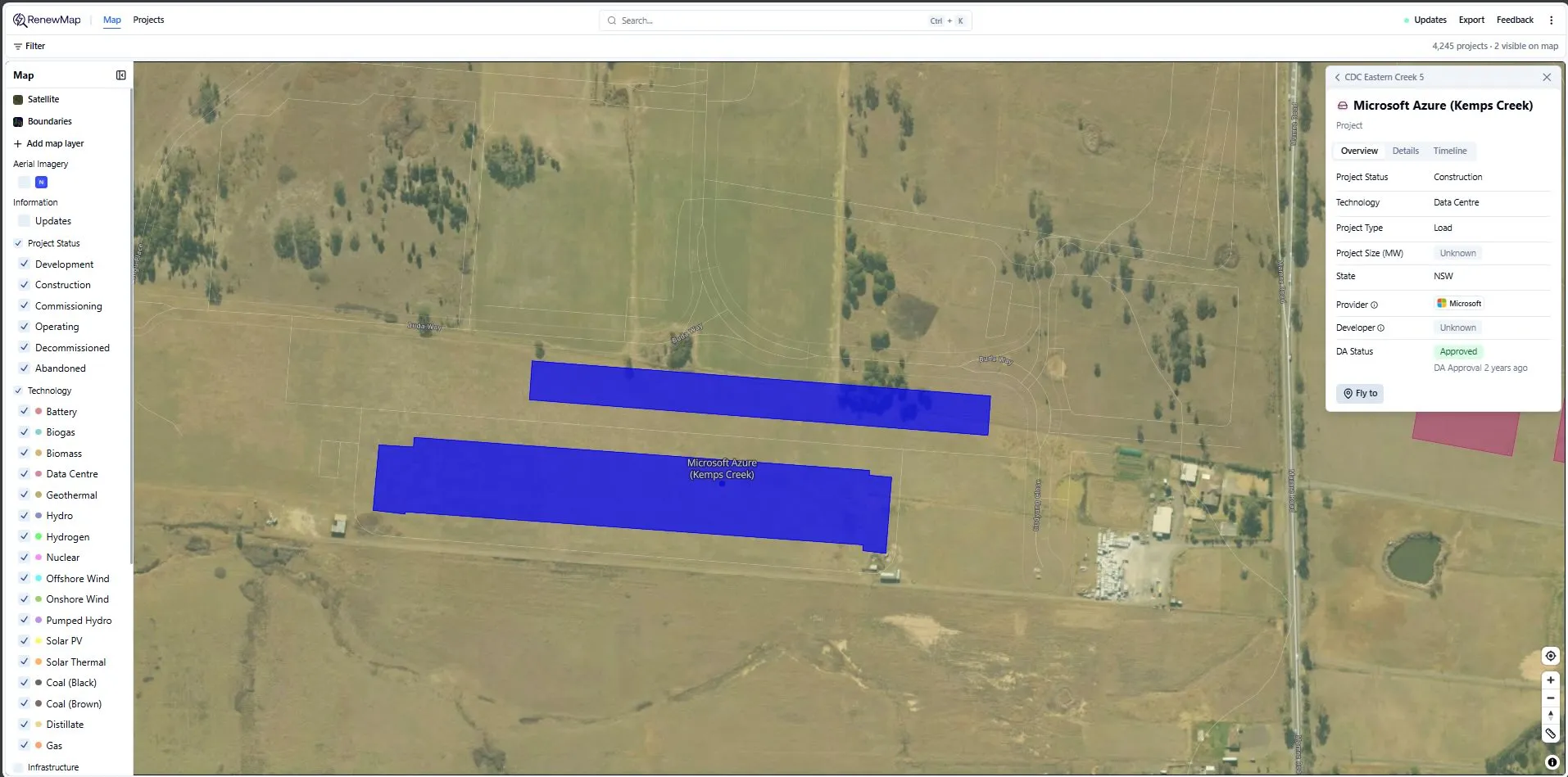
Standard satellite
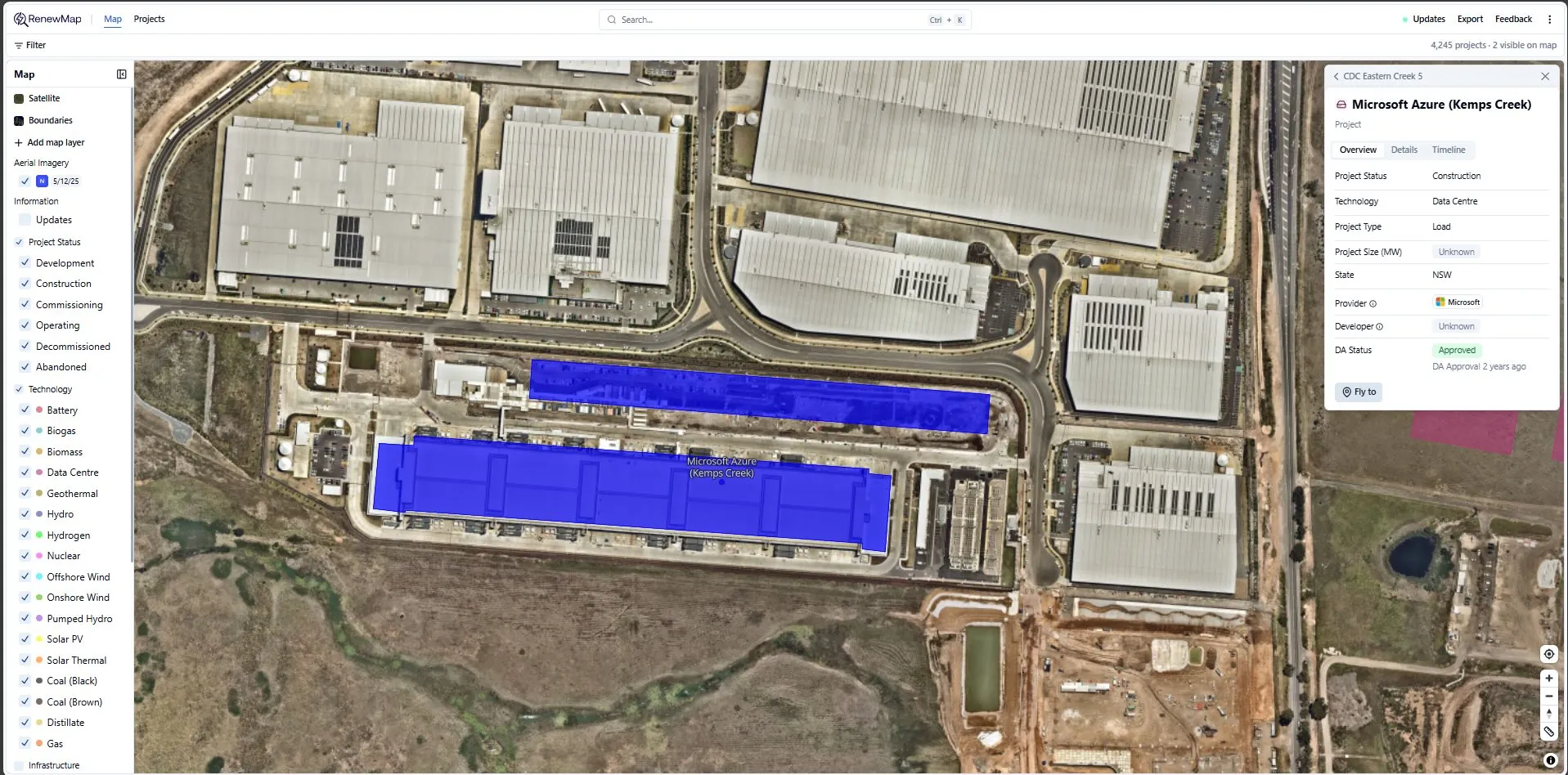
Nearmap
4. Cherry Tree Wind Farm
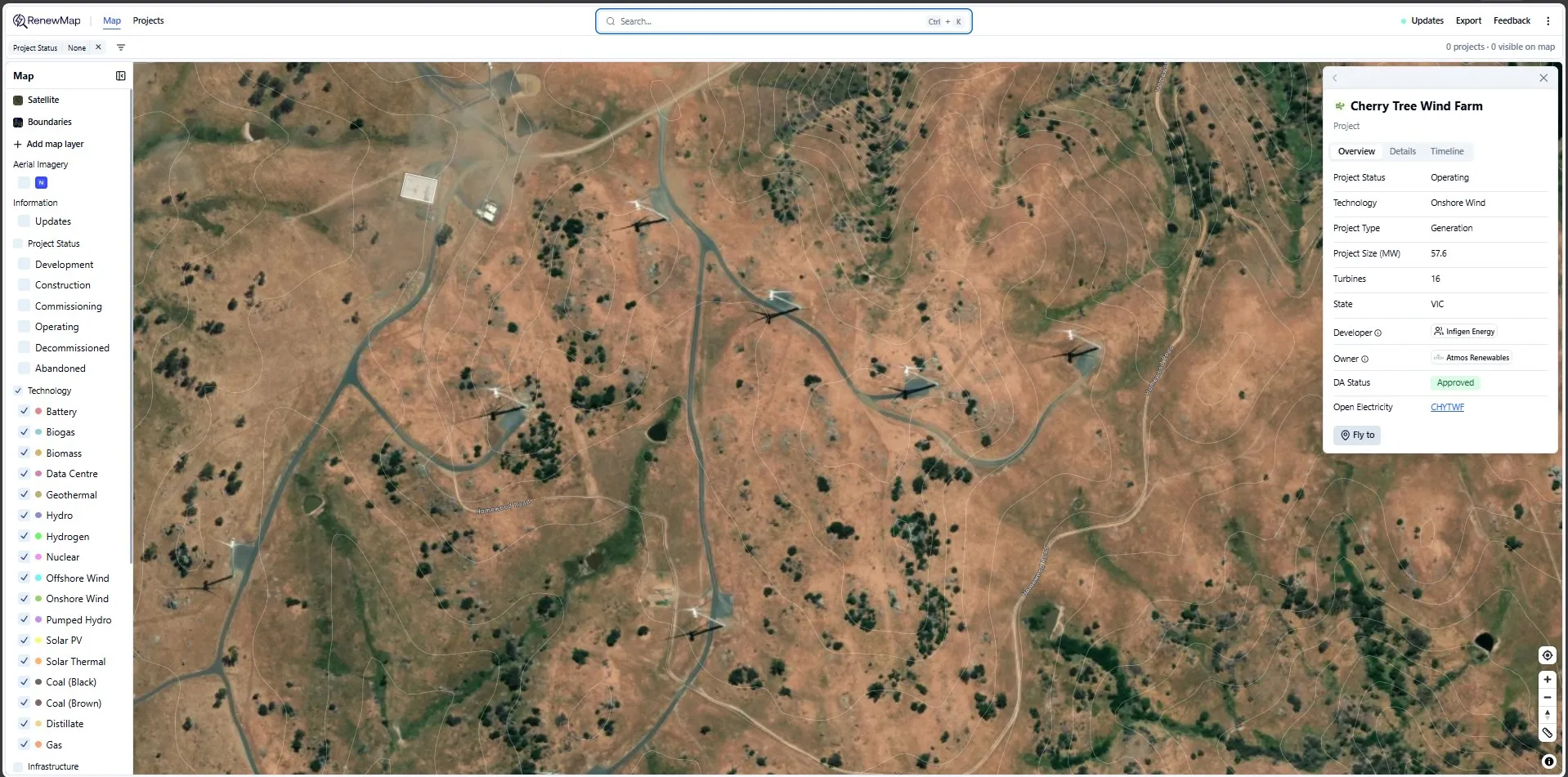
Standard satellite
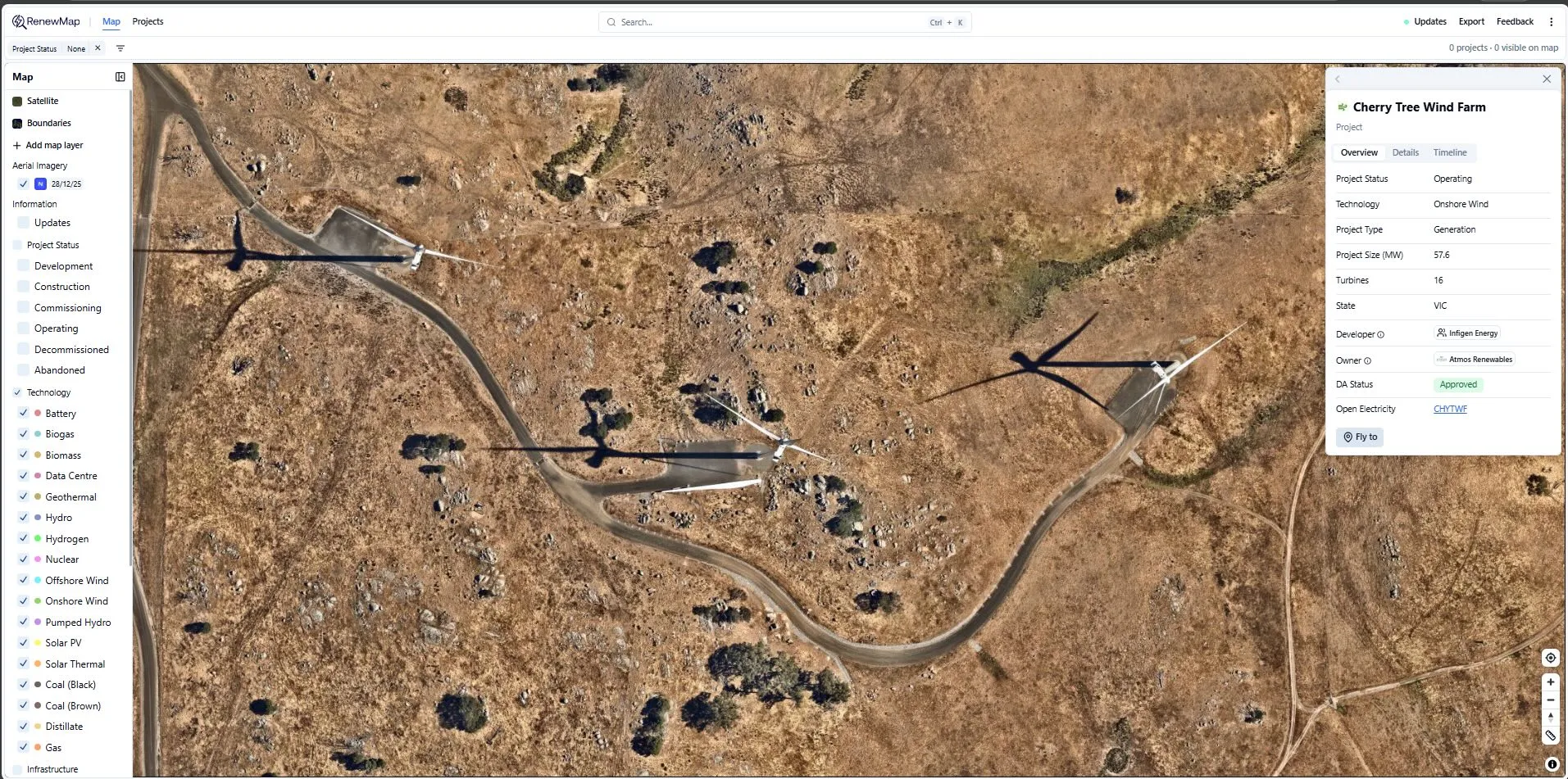
Nearmap
Imagery is not available for the selected location
Nearmap coverage varies by region. If imagery is unavailable, Nearmap will display its nearest available coverage.
Data and access considerations
- Nearmap imagery is provided and licensed by Nearmap
- Imagery availability, resolution and capture frequency are determined by Nearmap
- RenewMap does not control Nearmap imagery updates or coverage